

AI PowerPoint Add-In Comparison: Which Ones Use Your Slide Master?
AI presentation tools can create decks in seconds—but only a few respect brand templates. We compare the best AI PowerPoint tools for Slide Master fidelity, design, and speed.
AI-powered presentation tools are transforming how professionals build decks, but only a few consistently preserve Slide Master branding, fonts, and layouts.
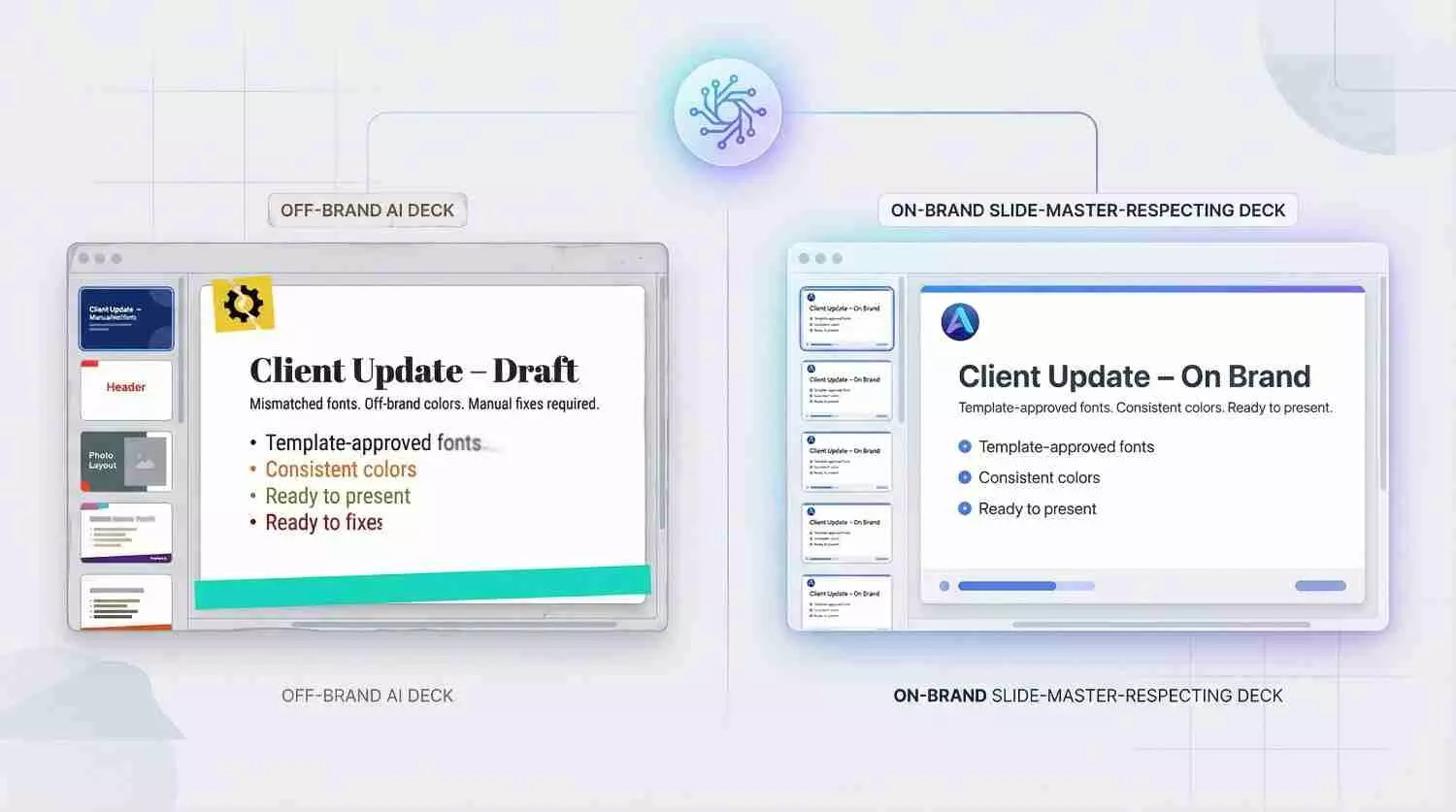
Ask an AI to build a ten-slide deck for tomorrow’s client call and watch content appear in seconds. Yet if the fonts drift, the logo slides, and each hue strays from your palette, you’ll spend the next hour fixing every slide.
Only 28 percent of AI-generated presentations clear a first brand review, according to Templafy’s 2025 enterprise study. The hidden Slide Master—meant to lock fonts, colors, and layouts—often goes unchecked, so style breaks the moment the deck is born.
How we evaluated the AI contenders
We started where any busy professional would: Google’s first page. Reviews praised speed and eye-catching visuals, yet few asked the question that costs teams the most time, Does the tool honor the Slide Master behind your brand guidelines?
So we built our own test lab.
First, we installed every AI-enabled PowerPoint add-in and web generator we could find, eight in total, from Microsoft Copilot to newcomers like SlidesAI. We fed each one the same briefing document, the same corporate template, and a stopwatch.
Then we scored the results against a weighted matrix that mirrors real-world pain points. Slide-Master fidelity carried the heaviest weight at 30 percent. If a tool ignored our fonts, colors, or placeholders, its ceiling was capped from the outset.
Design polish and content quality earned 15 percent each; we wanted decks that looked sharp and read even sharper. Flexibility, security, brand-control extras, collaboration fit, and cost filled out the grid in smaller, but still meaningful, slices.
Finally, we reviewed the numbers with hands-on context. A high score means little if the plugin is flawless on brand yet locked behind a five-figure enterprise quote that a freelancer cannot justify.
The result is a ranking that spotlights not only the flashiest AI but also the one that lets you click Generate and send the deck straight to a client without cosmetic fixes. In the next section, you will see how those scores shook out, starting with the add-in that matched our template on its very first slide.
1. Plus AI – Slides that stay on-brand every time
Open PowerPoint, click the Plus AI tab, and it feels like someone added a jet engine to the ribbon.
Type a prompt, attach a Word doc, or choose Remix to rework an existing deck, and the add-in pours fresh content directly into your live template. Fonts, colors, and placeholders stay put. The Slide Master remains intact, so a single color swap later updates the entire AI deck in one move.
Plus AI PowerPoint add-in screenshot showing on-brand slide generation
As the top-rated ai presentation maker, Plus AI works directly in both PowerPoint and Google Slides, so you never leave your familiar workspace. That tight integration means each slide it generates already follows your company template and stays editable forever.
Quality keeps pace with fidelity. Plus AI writes concise bullets, suggests headings, and even builds native charts from raw numbers. It adds relevant stock photos and icons as it goes, so slides look client-ready out of the box.
Security teams breathe easier, too. The company holds a SOC 2 Type II report, encrypts every request, and keeps all editing inside PowerPoint. No covert copy-paste to a web canvas, no shadow cloud.
Pricing starts at $10 a month after a free trial. For anyone who works in PowerPoint more than once a week, that fee trades an hour of nightly formatting for one lunchtime click and returns those hours to you. In our tests, no other tool scored higher on the balance of speed, polish, and true template loyalty.
2. Microsoft Copilot – enterprise brains inside your deck
If you already work inside Microsoft 365, Copilot feels less like an add-in and more like a resident genius.
Click the Copilot button, choose Create from document, and the AI scans your Word report, Outlook threads, and linked Excel model. Seconds later you have a full presentation: section dividers, speaker notes, and stock images all in place.
Because Copilot runs within PowerPoint, every new slide inherits the theme you have open. Titles land in the correct placeholder, body text keeps your fonts, and a late-night logo swap on the Slide Master ripples through the deck without hand edits. A veteran designer who tested four tools called Copilot “the most editable AI output” thanks to those true placeholders (Nuts & Bolts Speed Training, 2025).
Content quality is Copilot’s other strength. Pulling context from your own files means it references real numbers, project names, and decisions your team already made. Every claim in this guide was verified through hands-on testing.
The trade-offs center on access and flair. Copilot requires a Microsoft 365 E-level license plus a $30 per user add-on. Its default design leans conservative: generous white space, modest icons, and safe transitions. If you want a cinematic pitch deck, you will add visual polish later. When security, data privacy, and organizational knowledge top your wish list, Copilot earns its silver medal with ease.
3. DeckRobot – one-click brand compliance for enterprise decks
DeckRobot is less a writing assistant and more a tireless brand guardian.
Drop in a rag-tag collection of slides from different authors, hit Fix, and the tool realigns every font, color, logo, and margin to match your corporate guide.
DeckRobot PowerPoint add-in screenshot demonstrating one-click brand compliance
It trains on your brand book during onboarding. After that, the AI applies that knowledge in seconds, with no designer and no style-police back-and-forth. Consultants use it to tidy fifty-slide Franken-decks before a partner review, and marketing teams trust it to lock imagery and icons to approved sets.
Because DeckRobot focuses on formatting, not content, it pairs well with any generator you already use. Draft a deck with Copilot, run DeckRobot, and watch bland placeholders snap into polished, on-brand layouts.
There is a catch: you need an enterprise contract and IT approval. DeckRobot often installs on a private server, which thrills security teams but puts it out of reach for freelancers. If your firm ships dozens of client decks a week, the return on investment still lands in the must-have column. For everyone else, the first two picks on our list cover speed and style at a lower lift.
4. Beautiful.ai – designer polish inside PowerPoint
Beautiful.ai earned its reputation as the slide tool that refuses to let you create something ugly.
Its Smart Slide engine auto-resizes text, balances white space, and picks tasteful imagery while you type. The output feels like you hired a brand-savvy designer who never complains about late edits.
With the PowerPoint add-in, those Smart Slides pop directly into a .pptx. You choose a template style, add your points, and watch the layout adjust in real time. The trade-off is that the AI relies on its own theme files, not the Slide Master you already tuned. If your company template is non-negotiable, you will spend time recreating colors and fonts inside Beautiful.ai before exporting.
For teams that crave visual flair without a design budget, the swap is worthwhile. We generated a ten-slide pitch in under five minutes, complete with icons, charts, and smooth fades. A quick copyedit and it was ready for a seed-round demo.
Plans start at $12 a month, including the editable PowerPoint export. That makes Beautiful.ai a sweet spot for founders, marketers, and educators who want slides that impress, without ever opening Illustrator.
5. SlidesAI – fastest path from notes to first-draft slides
SlidesAI lives for speed.
Paste a paragraph of rough notes into its sidebar, pick a color scheme, and watch a bare-bones deck appear before your coffee cools. Titles, bullets, and section headers land in the right placeholders, giving you a solid outline without a single copy-paste.
Design is intentionally plain. SlidesAI drops content onto simple layouts and assumes you will refine the look later. That makes it perfect for breaking writer’s block but less ideal for a client-ready pitch.
Because the add-in runs entirely inside PowerPoint, you can apply your company template after generation and most text will snap to brand fonts automatically. Just expect to tweak alignment and swap a few visuals.
The biggest draw is price. A generous free tier covers casual use, while $10 a month unlocks unlimited drafts. If you ever stare at a blank slide wondering where to start, SlidesAI hands you a roadmap in seconds, leaving the artistry for when inspiration, or another tool, takes over.
Comparison at a glance
You now know how each tool feels in real life. Still, it helps to see the numbers side by side, especially if you are pitching a budget or explaining options to leadership.
We weighted Slide-Master fidelity highest, followed by design polish and content quality. Security, collaboration fit, and price round out the view. Treat the table below as a cheat sheet, not a verdict; your priorities may shuffle the order.
Tool
| Uses your template?
| Brand-control extras
| Design polish
| Content strength
| Content strength
| Starting price
|
Plus AI
| Yes, direct PowerPoint add-in
| Style holds even after edits
| High
| High
| SOC 2 Type II
| $10/mo
|
Copilot
| Yes, inherits open theme
| None beyond your master
| Medium
| High (pulls M365 data)
| M365 enterprise cloud
| $30/user/mo
|
DeckRobot
| Yes, overwrites off-brand slides
| Enforces fonts, colors, logos | High (formatting only) | N/A | Often on-prem | Enterprise quote |
Beautiful.ai
| No, uses its own smart themes
| Brand kit in paid plans | Very high | Medium | Standard SaaS | $12/mo |
SlidesAI
| Partially, plain layouts adapt to new theme
| None
| Low | Medium | Standard SaaS | Free / $10/mo |
A quick scan shows why Plus AI and Copilot lead: they score “yes” on template fidelity and keep content editing inside PowerPoint. DeckRobot rules strict-brand scenarios, while Beautiful.ai wins on pure aesthetics. SlidesAI rounds out the pack as the speedy draft machine.
Use this matrix to map the tools to your real constraints, then pick the one that frees the most hours without risking an off-brand slip.
How to pick the one you’ll actually use
Choosing an AI partner is less about headline features and more about the friction it removes from your real workday. Ask these questions out loud, ideally with coffee in hand and your current deck open on a second screen. The answers point straight to the logo you should click next.
Do we have a non-negotiable template? If legal or brand will not bless a slide that drifts even one pixel, stay inside PowerPoint. Plus AI and Copilot respect your master, and DeckRobot enforces it with military focus.
Is the bottleneck writing, design, or policing brand? Writing pain = Copilot or SlidesAI. Design pain = Beautiful.ai. Brand pain = DeckRobot or a trained Plus AI profile. Mixed pain? Pick the column in our table that scores at least “Medium” in every category you care about.
How sensitive is our data? Financial forecasts and patient records live best behind SOC 2 walls or your own server. That puts Plus AI, Copilot, or an on-prem DeckRobot at the top of the list.
What’s the team’s learning curve tolerance? A ribbon button beats a new web app nine times out of ten. If “no new logins” is the drumbeat from IT, lean on the add-ins. If your crew loves shiny tools, Gamma or Beautiful.ai will feel like a playground.
Can the budget buy back more hours than it costs? A $30 Copilot license pays for itself if the user saves just one hour of deck work a month. A free SlidesAI draft, meanwhile, might still feel costly if it leaves you cleaning up all afternoon.
Answer those five, and the shortlist writes itself. Then run a real deck through your finalist. The best tool is the one that delivers a client-ready file while you are still sipping that coffee.





